


.svg)

contact@blackcoffeerobotics.com

India, USA
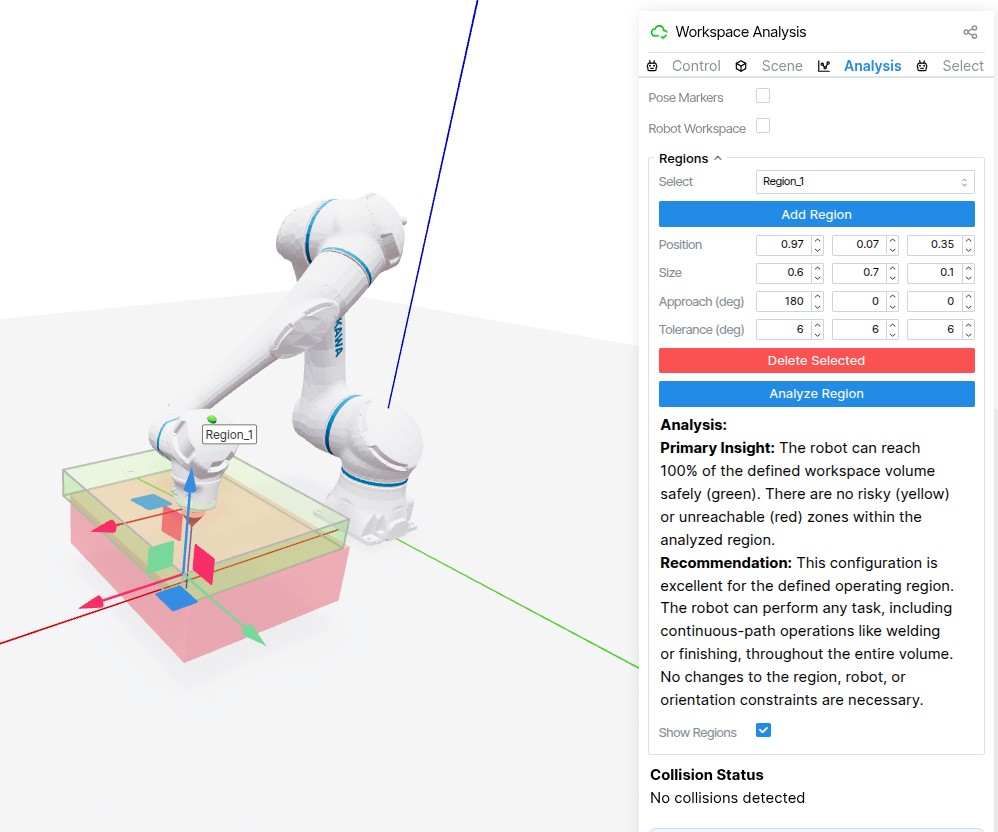
URDF Viewer is a powerful, browser-based platform designed for robot workcell analysis, workspace visualization, and feasibility assessment. Whether you're a robotics engineer, system integrator, or sales professional, URDF Viewer can help you answer one critical question before any complex programming begins:
Can this robot physically accomplish the required tasks within this specific workspace configuration?
When evaluating whether a robot can handle a specific application, discussions typically focus on:
While these factors are important, there's a critical element that's frequently overlooked: the physical configuration of the robot workcell itself.
Based on our experience in robotics deployment, we've discovered that many challenging robotics problems can be solved more efficiently by optimizing the physical setup before diving into complex algorithmic solutions. This includes carefully considering:
When evaluating robot workcell feasibility today, professionals typically face two choices.
The first option involves setting up a full ROS/MoveIt environment, which requires installing frameworks, importing robot models, and building collision scenes. While powerful for final implementation, in this approach:
The second option is purchasing vendor-specific simulation software, which comes with its own challenges:
Both approaches are good at what they're designed for, but they create barriers when you simply need a quick feasibility check.
We built URDF Viewer specifically to bridge this gap as a web-based platform that works with any robot, allows custom workspace setup, requires no download, and has a quick learning curve.
The goal is simple: workcell feasibility and robot placement decisions in minutes, not weeks.
Core design principles behind URDF viewer are:
Quickly compare different robots in the same workspace without switching platforms or dealing with vendor-specific tools. Test whether a cobot or industrial robot is better suited for your application with just a few clicks.
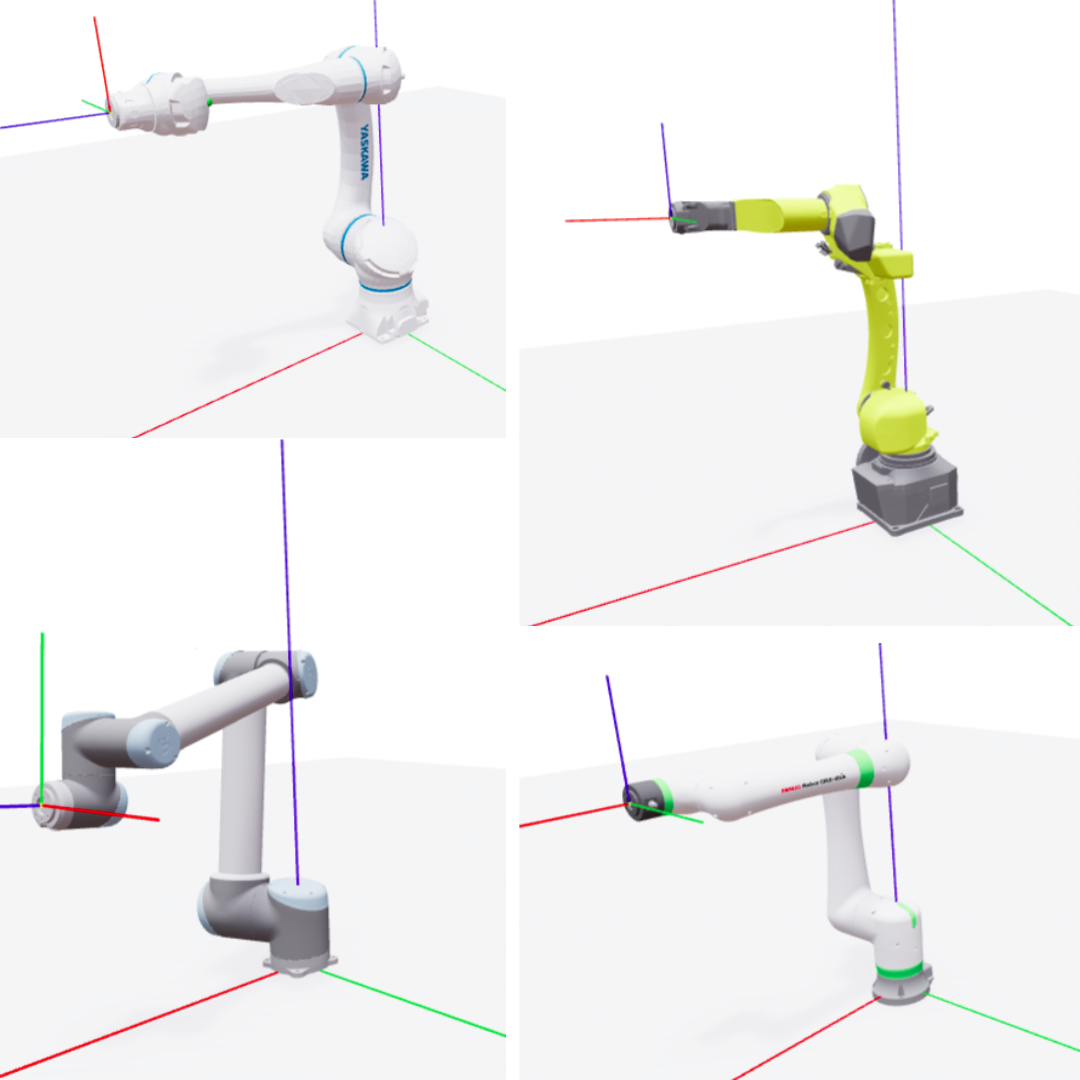
URDF Viewer offers multiple intuitive ways to control and position robots in your workspace. Use visual gizmo controls for drag-and-drop end-effector positioning with real-time feedback, enter precise pose coordinates for exact spatial positioning, or adjust individual joint angles to understand configuration constraints. This flexibility lets you quickly explore workspace possibilities or validate specific target positions, adapting to whether you're brainstorming layouts or testing known requirements.
Create realistic workcell environments through simple drag-and-drop interaction. Add and configure obstacles with simple clicks. Define task regions where robots need to operate. This interface enables rapid modeling of real-world workspace constraints.
URDF Viewer leverages AI-powered analysis to evaluate workcell feasibility comprehensively. Define regions with approach angle constraints for specific tasks and run detailed assessments that identify which task regions are reachable, visualize failures with color-coded displays, and explain why positions fail in natural language.
Our goal is to help professionals and enthusiasts across robotics. Sales engineers gain quick feasibility assessments during customer meetings and faster sales cycles. System integrators and manufacturing engineers streamline workcell layout design and robot placement optimization while reducing engineering time. Students and hobbyists access professional-grade learning tools for free, exploring robot kinematics interactively without complex setup.
URDF Viewer is live and ready to use at urdfviewer.com. No account registration, downloads, or installations required, just open your browser and start analyzing workcells immediately.
Have a specific workcell scenario you're trying to solve? Need help evaluating a particular robot configuration or workspace layout? We'd love to connect with you and discuss your unique challenge.

.webp)
contact@blackcoffeerobotics.com
India, USA